NotionRuang kerja AI Anda
Notion Calendar
Notion Mail
Notion AIAlat AI untuk pekerjaan
AgentOtomatiskan pekerjaan remeh
AI Meeting NotesDitulis dengan sempurna oleh AI
Enterprise SearchTemukan jawaban secara cepat
Basis PengetahuanPusatkan pengetahuan Anda
DocsMudah dan efektif
ProjectsKelola proyek
IntegrasiHubungkan aplikasi Anda
KeamananAman dan dapat diskalakan
. Lihat yang baru→
Unduh Aplikasi Notion→

Fitur AI

Notion AIAlat AI untuk pekerjaan
AgentOtomatiskan pekerjaan remeh
AI Meeting NotesDitulis dengan sempurna oleh AI
Enterprise SearchTemukan jawaban secara cepat

Jelajahi kasus penggunaan

Untuk pekerjaan
Untuk kehidupan

Tim

Teknik & Produk
Desain
Pemasaran
TI

Ukuran perusahaan

Startup
Usaha kecil
Perusahaan

Kasus Penggunaan

Pendidikan
Personal
Profesional
Kasus penggunaan AI

Telusuri

Templat
Konsultan
Integrasi

Temukan

Yang Baru
Cerita pelanggan
Blog
Webinar

Pelajari

Academy
Tur produk
Bantuan
PerusahaanHargaMinta demo
MasukDapatkan Notion gratis
  1. Pusat Bantuan
  2. Help Docs
  1. ← Help Docs

3. Ruang kerja & bilah sisi

Ruang kerja & bilah sisi
Dalam Bab ini

Ruang kerja Notion adalah rumah bagi semua konten Anda. Anda bisa bekerja di ruang kerja sendiri atau berbagi ruang kerja dengan kolaborator—apa pun yang Anda inginkan! Kami akan mengajari Anda cara membuat, bergabung, dan menggunakan ruang kerja.


Artikel

Create, join & leave workspaces

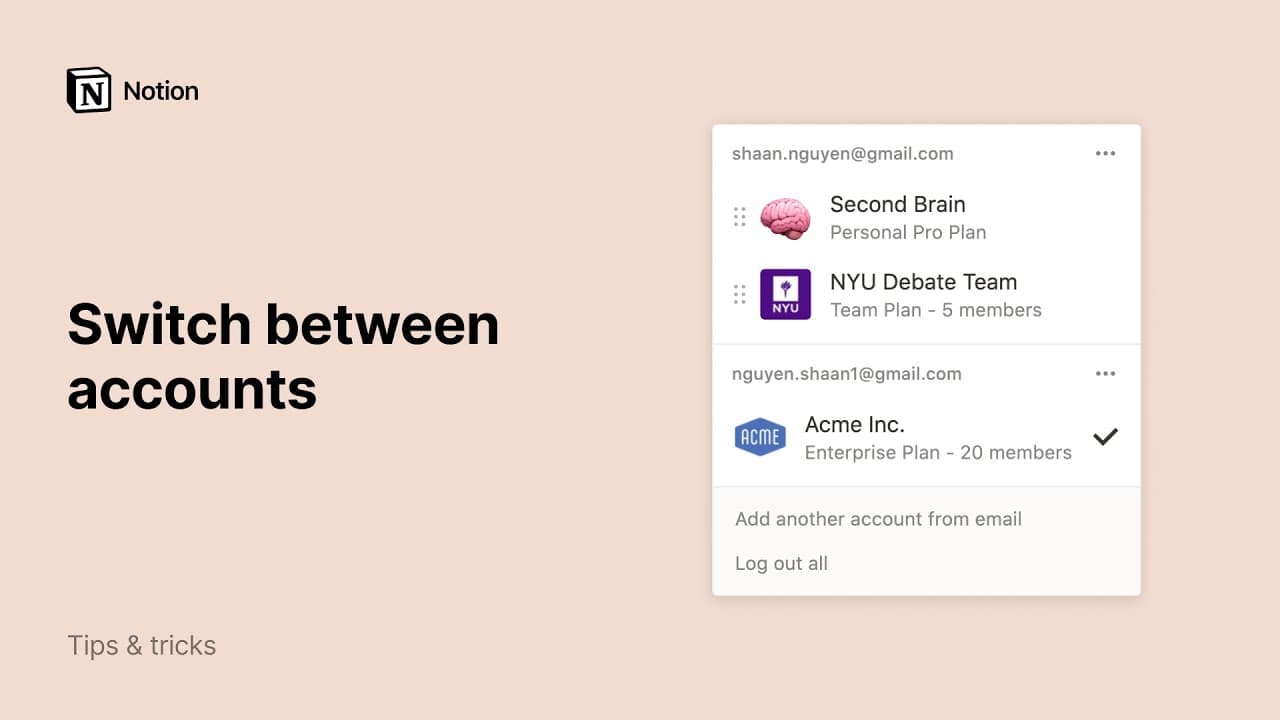
When you're brand new to Notion, it's best to keep it simple and start with just one workspace. But as you start using Notion for more things, and with more groups of people, you can keep different kinds of content separate by using multiple workspaces 🏘
3:00

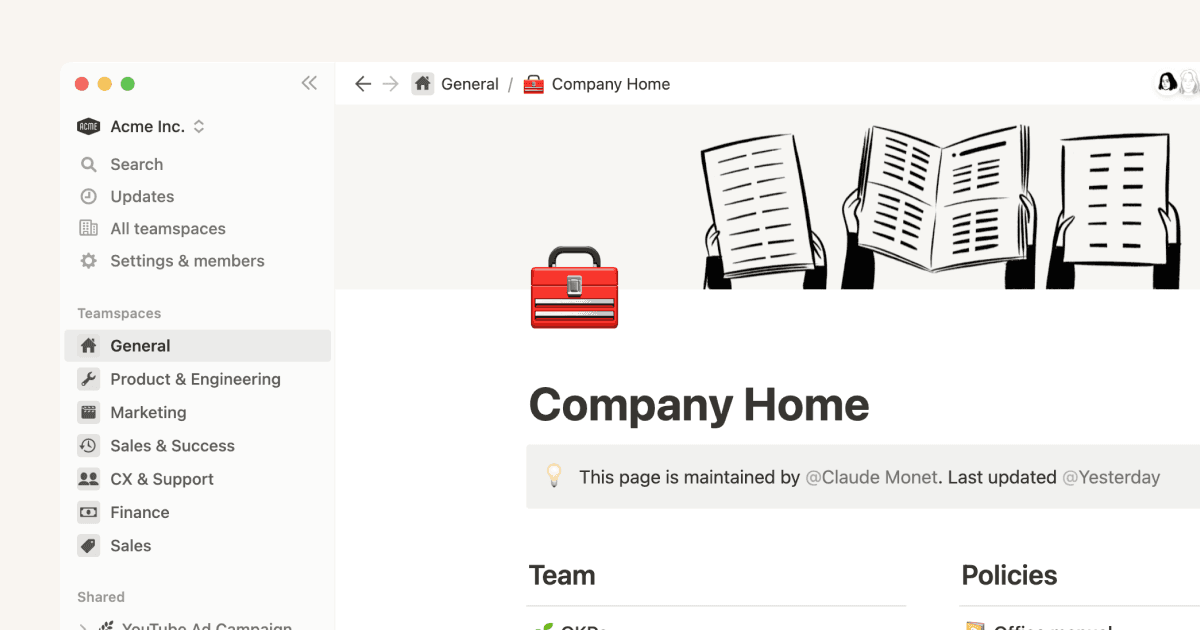
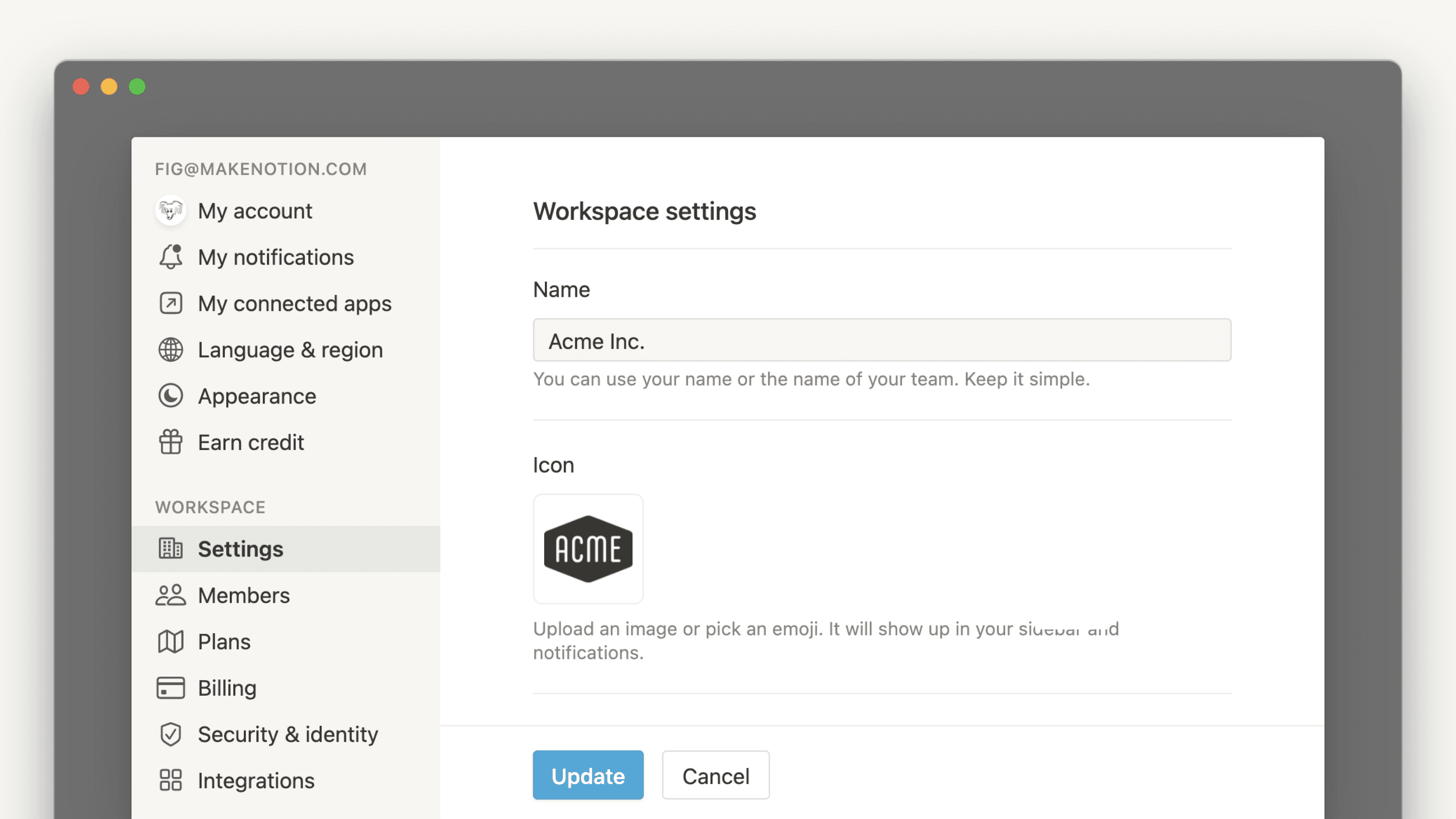
Workspace settings

When you sign up for Notion, you can create multiple workspaces connected to your account. Each one can be customized to your liking with workspace-specific settings. Here's how to manage every aspect of an individual workspace 🗝️

Create, join & leave teamspaces

Teamspaces help keep your content organized into specific areas. Keep your sidebar tidy by joining just the ones you need to access! Here's how 📚

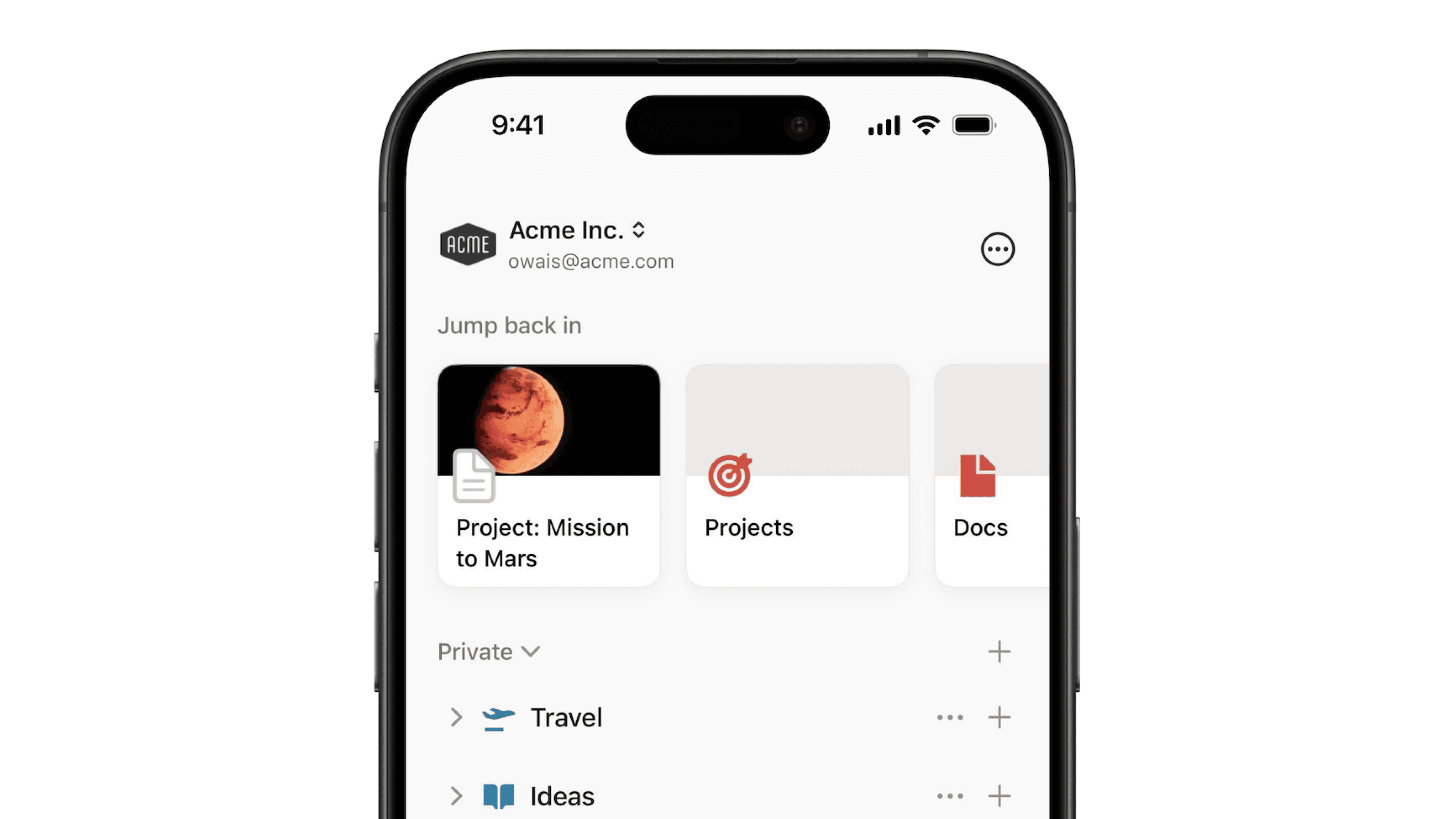
Workspaces on mobile

Here's a quick tour of how Notion workspaces look and operate on your phone or tablet 📱

Delete a workspace

Deleting a workspace is a permanent action. Read on to understand how to delete a workspace and what happens afterwards 🗑️


Masih punya pertanyaan?

👋

Bergabunglah dengan komunitas kami

Temukan jawaban

💼

Sewa Konsultan Bersertifikat

Temukan pakar untuk kebutuhan Anda

Help Center Contact Illustration
  • Dokumen Referensi
      • Start here
      • Intro to workspaces
      • Apa itu blok?
      • Buat halaman
      • Create a subpage
      • What is a database?
      • Create a database
      • Start with a template
      • Share your work
      • Collaborate with people
      • Badges & certifications
      • Lihat semua
      • Navigate with the sidebar
      • Manage your Library
      • Search in your workspace
      • Home & My tasks
      • Lihat semua
      • Create, join & leave workspaces
      • Create, join & leave teamspaces
      • Workspace settings
      • Workspaces on mobile
      • Delete a workspace
      • Lihat semua
      • Account settings & preferences
      • Notification settings
      • Two-step verification
      • HIPAA configuration
      • Data access consent
      • Delete your account
      • Log in & out
      • Passkeys
      • Change your language
      • Manage your Mail & Calendar settings
      • Secondary emails
      • Notion Faces
      • Lihat semua
      • Intro to writing & editing
      • Format your page
      • Style & customize your page
      • Gambar, file & media
      • Links & backlinks
      • Wikis & verified pages
      • Move & duplicate content
      • Hapus & pulihkan konten
      • Synced blocks
      • Code blocks
      • Math equations
      • Pintasan keyboard
      • Presentation mode
      • Archive pages
      • Use pages offline
      • Duplicate public pages
      • Lihat semua
      • Pengantar database
      • Pengantar tentang formula
      • Formula syntax & functions
      • Properti database
      • Relasi & rollup
      • Database settings
      • Templat database
      • Sub-items & dependencies
      • Task databases & sprints
      • Data sources
      • Optimize database load times & performance
      • Unique ID
      • Lihat semua
      • Views, filters, sorts & groups
      • Table view
      • Tampilan papan
      • Timeline view
      • Calendar view
      • List view
      • Gallery view
      • Dashboards view
      • Tampilan diagram
      • Forms
      • Layouts
      • Map view
      • Feed view
      • Lihat semua
      • Berbagi & izin
      • Kelola anggota & tamu
      • Collaborate in a workspace
      • Inbox & notifications
      • Komentar & sebutan
      • Pengingat
      • Suggested edits
      • Page analytics
      • Intro to teamspaces
      • People profiles
      • People Directory
      • Who’s who in a workspace
      • Create & manage groups
      • Lihat semua
      • Publikasikan Situs Notion
      • Edit & customize your Notion Sites
      • Manage your Notion Sites
      • Connect a custom domain with Notion Sites
      • Notion Sites availability & pricing
      • Lihat semua
      • Import data into Notion
      • Export your content
      • Back up your data
      • Import from Asana
      • Import from Confluence
      • Import from Monday.com
      • Lihat semua
      • Embeds, bookmarks & link mentions
      • Add & manage connections
      • Notion API integrations
      • Link previews
      • Synced databases
      • Connected properties
      • Connect GitHub
      • Integrate Slack
      • Connect Jira
      • Lihat semua
      • Buttons
      • Database buttons
      • Database automations
      • Webhook actions
      • Lihat semua
      • What is Notion AI?
      • Notion AI for databases
      • Notion Agent
      • AI Meeting Notes (beta)
      • Enterprise Search
      • Notion MCP
      • Salesforce AI Connector
      • Review & approve plans before Notion AI runs
      • Skills for Notion Agent
      • Create & edit images with Notion AI
      • Research Mode
      • Instructions for Notion Agent
      • Lihat semua
      • Notion AI Connectors
      • GitHub AI Connector
      • Google Drive AI Connector
      • Jira AI Connector (beta)
      • Linear AI Connector
      • Microsoft Teams AI Connector
      • Microsoft SharePoint & OneDrive AI Connector
      • Slack AI Connector
      • Gmail AI Connector (Beta)
      • Box AI Connector
      • Notion Mail AI Connector (beta)
      • Microsoft Outlook AI Connector
      • Notion Calendar AI Connector (beta)
      • Google Calendar AI Connector
      • Asana AI Connector
      • Lihat semua
      • Custom Agents
      • Best practices for creating and optimizing a Custom Agent
      • MCP connections for Custom Agents
      • Mobile Custom Agents
      • Custom Agents sharing and permissions
      • Connect Calendar to Custom Agents
      • Connect Mail to Custom Agents
      • Lihat semua
      • SAML SSO
      • Set up Identity Provider (IdP) for SAML SSO
      • Manage your Enterprise workspace
      • Domain management
      • Provision users & groups with SCIM
      • Set up Identity Provider (IdP) for SCIM
      • Content search
      • Transfer content from a deprovisioned user
      • Audit log
      • Add security & compliance integrations
      • Workspace analytics
      • Enterprise connection settings
      • Managed users
      • Custom data retention settings
      • Deploy Notion for macOS
      • Legal holds
      • Organization level controls
      • Deploy Notion for Windows
      • IP address restrictions
      • Network control
      • Manage teamspaces
      • Set up Microsoft Intune with Notion (iOS and Android)
      • Lihat semua
      • Security practices
      • Privacy practices
      • GDPR at Notion
      • Security best practices for Agent connections
      • Custom Agents security features
      • Notion IP addresses & domains
      • Data accessible by your workspace owner
      • Report inappropriate content
      • How Notion 3.0 protects against prompt injection risks
      • Dormant account policy
      • Data residency for Notion
      • Shared Responsibilities Model
      • How to protect yourself from malvertising
      • Lihat semua
      • Notion AI security & privacy practices
      • Notion’s commitment to AI safety
      • Enterprise Search security & privacy practices
      • Notion AI complimentary responses
      • Lihat semua
      • Notion untuk desktop
      • Notion for web
      • Notion for mobile
      • System requirements for Notion
      • Notion beta program
      • Mobile widgets
      • Web Clipper
      • Notion New Tab extension
      • Lihat semua
      • Get started with Notion Mail
      • Navigate your inbox
      • Compose an email
      • Views, groups, filters & properties
      • Schedule meetings with Notion Mail
      • Use Notion AI with Notion Mail
      • Notion Mail settings
      • Notion Mail keyboard shortcuts
      • Customize notifications in Notion Mail
      • Notion Mail security practices
      • Notion Mail for mobile
      • Lihat semua
      • Buat akun Notion Calendar
      • Kelola kalender & acara Anda
      • Scheduling & availability
      • Blocking
      • Time zones
      • Manage your linked Notion account
      • Notion Calendar settings
      • Notion Calendar connections & API
      • Use Notion Calendar with Notion
      • Notion Calendar for teams
      • Notion Calendar keyboard shortcuts
      • Notion Calendar apps
      • Notion Calendar security practices
      • Lihat semua
      • Finding templates on Marketplace
      • Selling templates on Marketplace
      • Getting featured in Marketplace
      • Marketplace guidelines & terms
      • Become a Notion Solutions Partner
      • Offering services on Marketplace
      • Finding services on Marketplace
      • Template localization on Marketplace
      • Lihat semua
      • Change your plan
      • Billing
      • How adding & removing members impacts billing
      • Invoices
      • Buy & track Notion credits for Custom Agents
      • Payment methods
      • Refunds
      • Notion for education
      • Notion for startups
      • Notion for creators
      • Paid plan trials
      • Understanding block usage
      • What happens when I downgrade my plan?
      • Sales tax
      • Can’t upgrade to the Plus Plan for students and educators
      • Lihat semua
      • Reset Notion
      • I can't log in
      • Common formula errors
      • I can’t access Notion
      • I can't access my own page
      • I can’t upload or view a file
      • Common Notion errors
      • Record HAR files for troubleshooting
      • Can’t log into Notion Mail
      • Common Jira Sync issues
      • Lihat semua
  • Panduan
      • Notion AI
      • Dokumentasi
      • Catatan
      • Manajemen proyek
      • Wiki
      • Produk
      • Teknik
      • Desain
      • SDM & karyawan
      • Pemasaran
      • Personal
      • Perusahaan
      • Startup
      • Demo
      • Galeri templat
      • Automasi
  • Tumbuh dengan Notion

  • Notion Academy
  • API

  • Buat integrasi
  • Dukungan

  • Bergabunglah dengan komunitas kami
  • Cari konsultan

    © 2026 Notion Labs, Inc.
    • Perusahaan
    • Tentang kami
    • Karier
    • Keamanan
    • Status
    • Ketentuan & privasi
    • Hak privasi Anda
    • Unduh
    • iOS & Android
    • Mac & Windows
    • Mail
    • Kalender
    • Web Clipper
    • Sumber Daya
    • Pusat bantuan
    • Harga
    • Blog
    • Komunitas
    • Integrasi
    • Templat
    • Program mitra
    • Notion untuk
    • Perusahaan
    • Usaha kecil
    • Personal
    • Telusuri lebih lanjut→