版本 / 2.40
Notion 2.40: Home with calendar, navigate content, and organize your sidebar
An organized Home
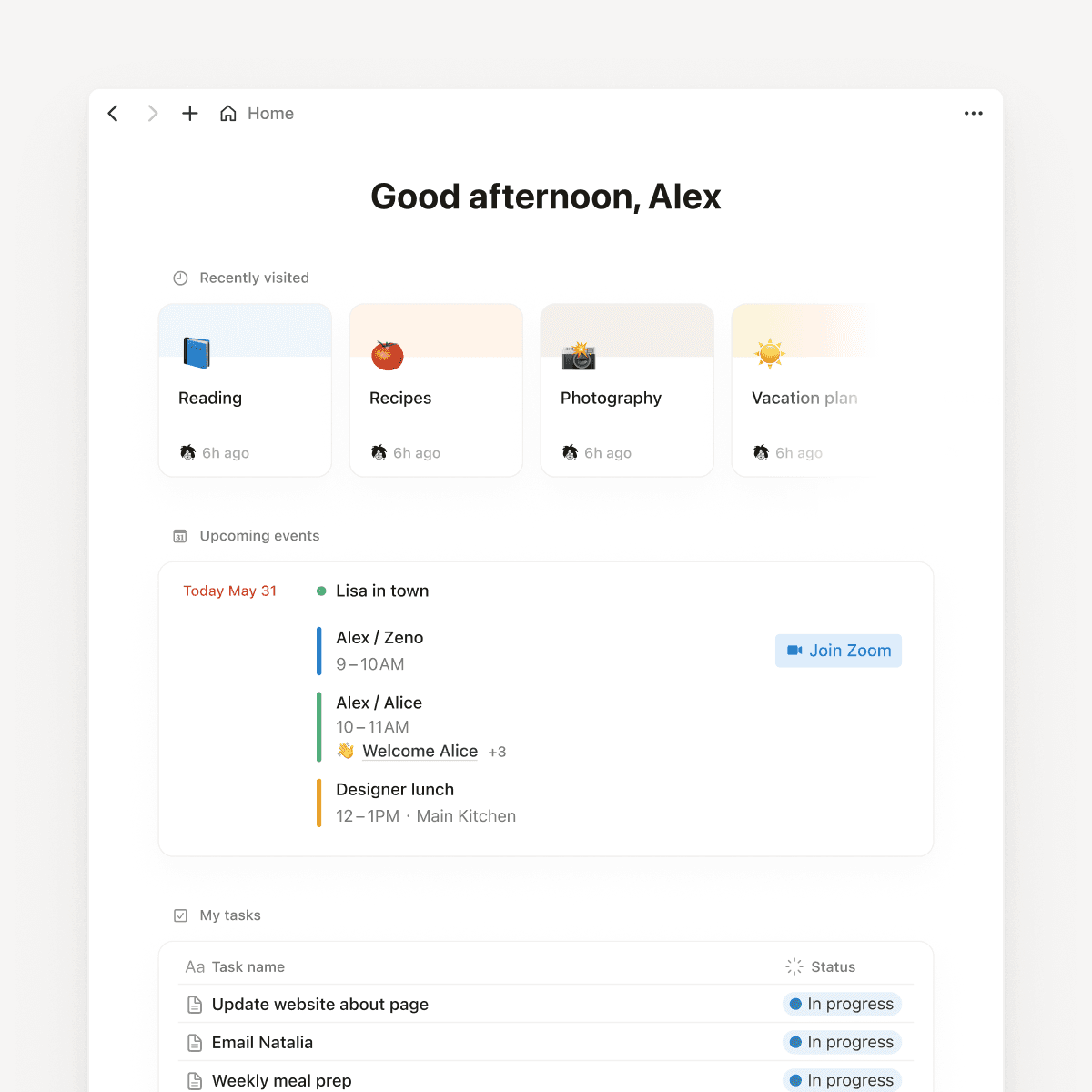
It’s basically your personal landing page. You can jump into a recent doc, see your calendar and tasks, or add a database of upcoming projects. It's just a start and we'll continue to make it better based on what we hear from you.
See your day at a glance
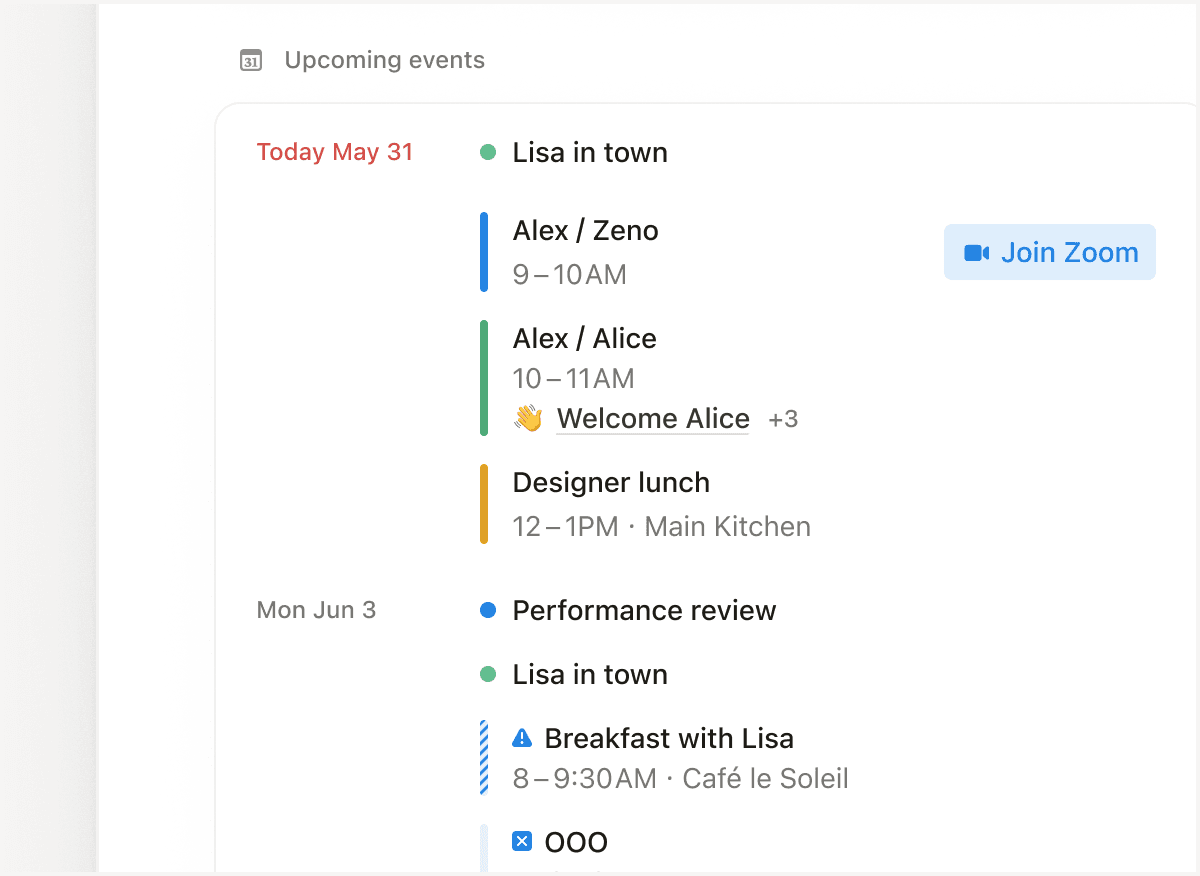
On desktop, your events from Notion Calendar are now in Home, along with related docs and a link to join your next meeting. No more breaking out of flow to figure out what your next meeting is about.
A tidier sidebar
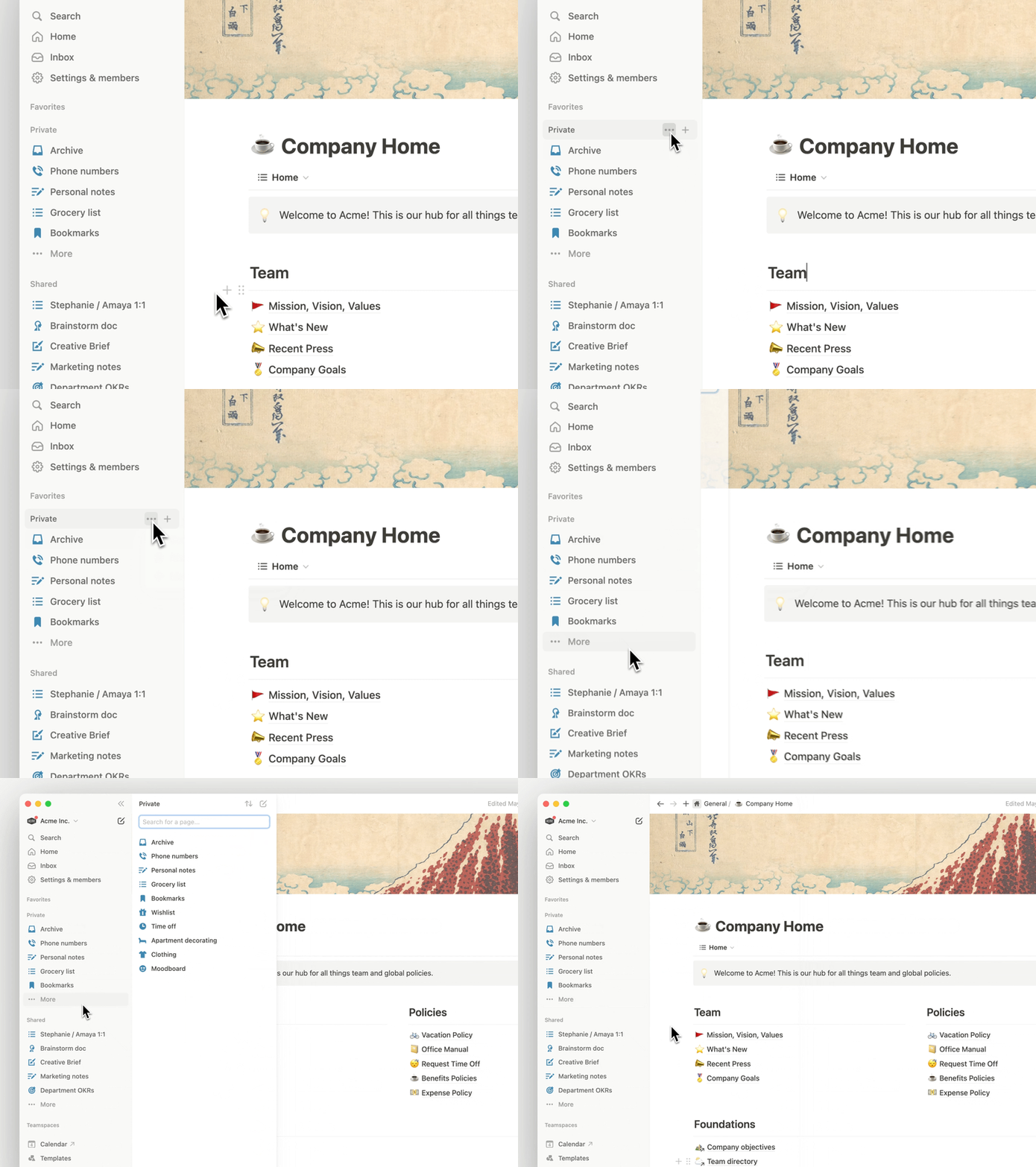
We promised we’d keep improving the most-used parts of Notion. The Private and Shared sidebar sections now have a dedicated panel where you can organize, sort, and search for pages. The panel also limits the number of pages so you don't have to scroll endlessly.
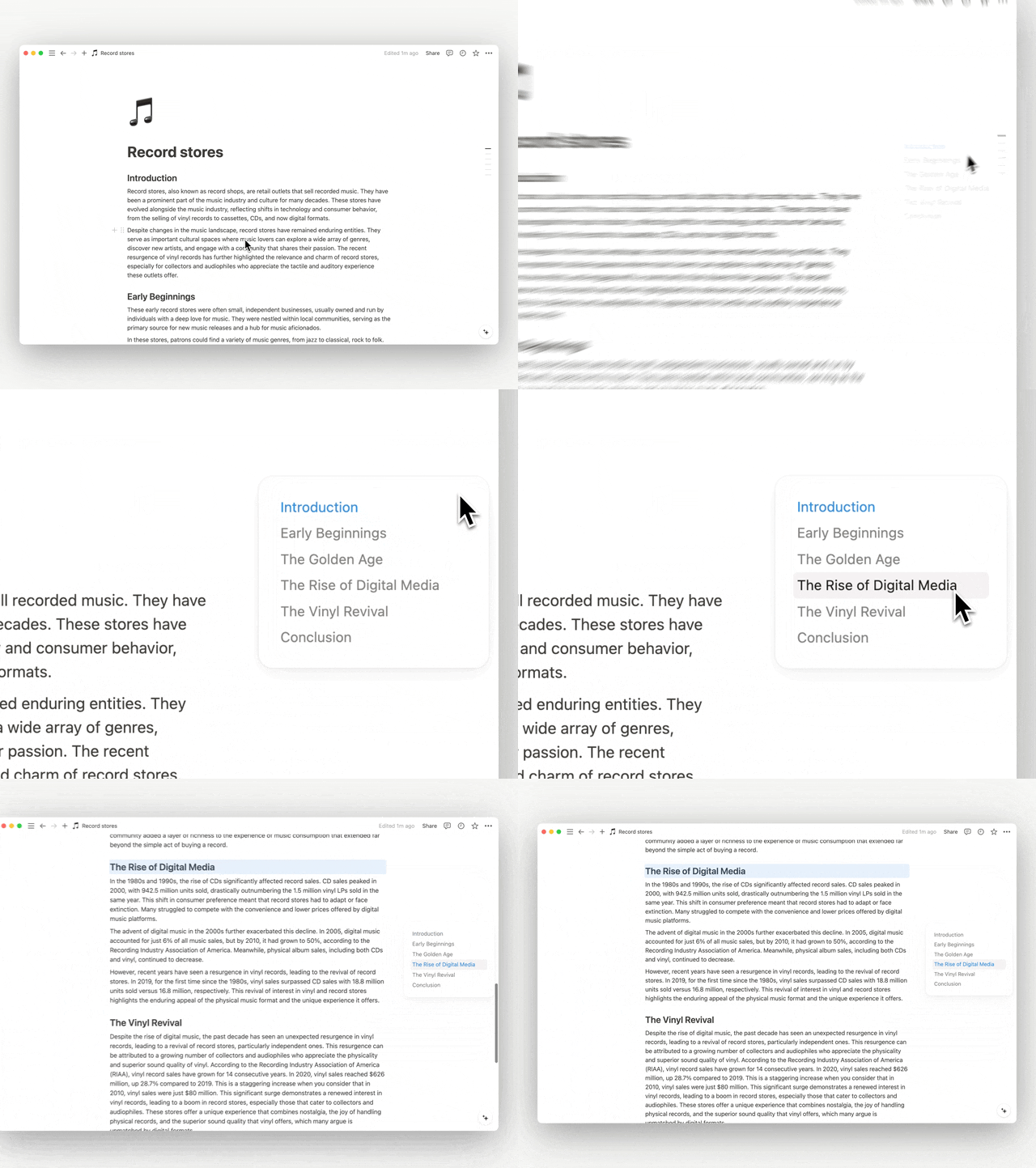
A new “floating” table of contents
We’ve been working on making it easier to navigate long content. If your Notion page has headings you can now hover over the right side of the screen and find the section you want to jump to.
A nicer preview for URLs
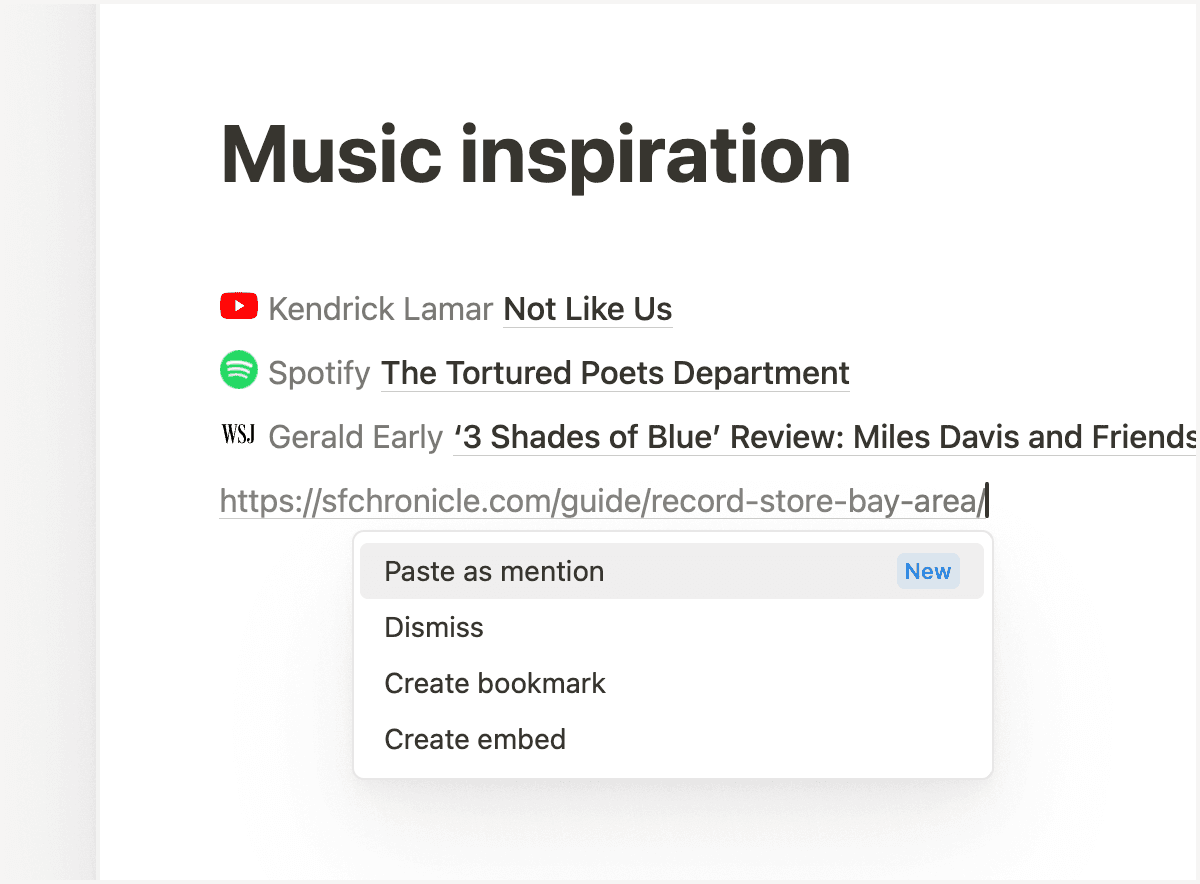
No one likes long URLs (especially when the URL has like 10 numbers in it). Now you can turn links into a short preview with a favicon, the author, and the title of the page. Just paste and choose Paste as mention.
Focus time and OOOs
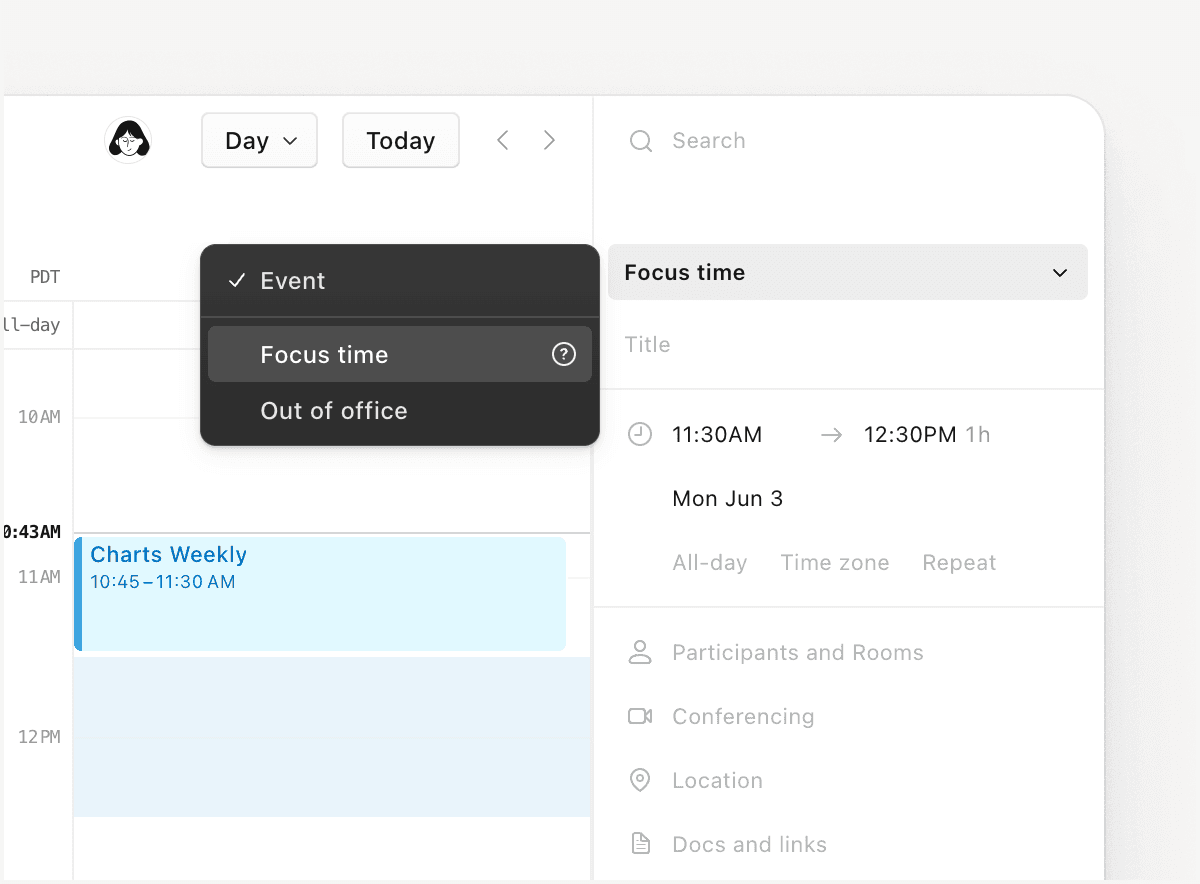
This was a popular request for Notion Calendar, so we built it! You can now add focus time or out-of-office events to your calendar.
More quality of life improvements
Use the desktop app to pin pages that you use frequently (like a to-do list) to the top left of the app. Just right click on an open tab and select the
Pin taboption.Database views that are grouped by the
select,status,multi-select,person, orrelationproperties load faster.Anyone viewing a locked database can now use advanced filters to find what they're looking for.